How to Set Up Claude Code in 5 Minutes (Complete 2026 Guide)
Step-by-step guide to set up Claude Code on Mac, Linux, or Windows. Install, authenticate, configure MCP servers, and start coding with AI in your terminal.
I put off trying Claude Code for weeks. Figured it would be another tool that takes an hour to configure and still doesn't work right. Turns out the whole setup takes less time than ordering coffee.
This is the no-fluff guide. Every step, every platform, every gotcha I hit so you don't have to.
What is Claude Code?
Claude Code is Anthropic's AI coding assistant that runs directly in your terminal. Unlike browser-based AI tools where you copy-paste code back and forth, Claude Code reads your entire codebase, edits files, runs commands, and manages git -- all through natural language.
Think of it as having a senior developer sitting next to you who already read every file in your project. You describe what you want in plain English. It writes the code, tests it, and commits it.
The same AI vision technology that powers tools like Claude Code is also being used in consumer apps. vervo.app uses the same kind of AI vision to read text conversation screenshots and suggest what to say next -- proving that these tools aren't just for developers anymore.
What do you need before installing?
Before you start, check these boxes:
- A Claude account with Pro ($20/mo), Max ($100-200/mo), Teams, or Enterprise plan. The free plan does not include Claude Code access.
- A terminal -- Terminal.app on Mac, any Linux terminal, or PowerShell/Windows Terminal on Windows 11
- A project to work on -- Claude Code is context-aware based on your working directory
That's it. No Node.js required if you use the native installer. No Docker. No complex toolchain.
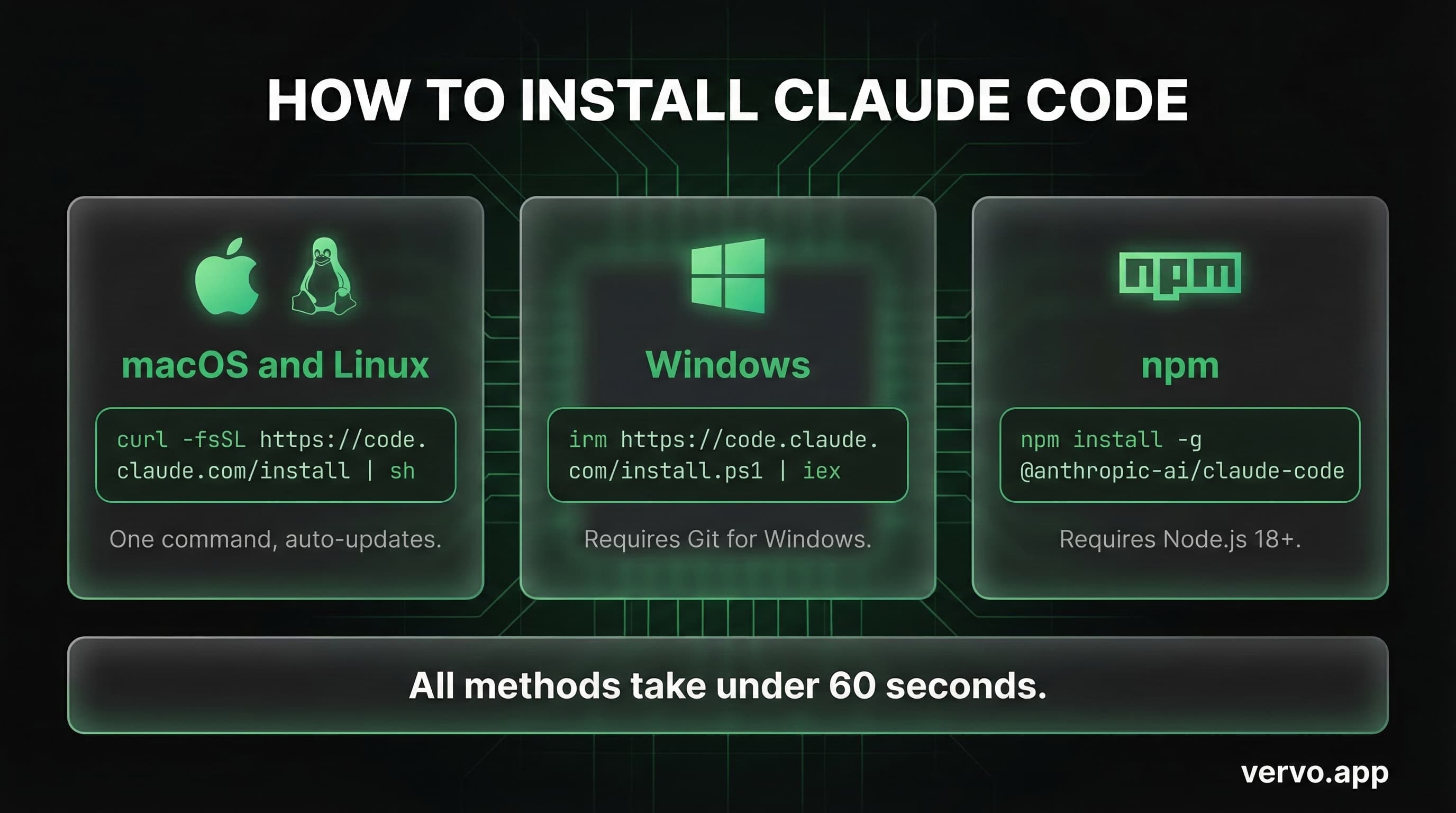
How to install Claude Code (every platform)
Mac or Linux (recommended method)
Open your terminal and run:
curl -fsSL https://code.claude.com/install | sh
This downloads the native binary, adds it to your PATH, and sets up auto-updates. The whole thing takes about 15 seconds.
Mac via Homebrew
brew install claude-code
One caveat: Homebrew installs don't auto-update. You'll need to run brew upgrade claude-code manually to get new features and security patches.
Windows 11
Make sure Git for Windows is installed first, then open PowerShell:
irm https://code.claude.com/install.ps1 | iex
You can also use WinGet: winget install Anthropic.ClaudeCode. Same caveat about manual updates.
npm (any platform)
npm install -g @anthropic-ai/claude-code
This requires Node.js 18+. The native installer above is faster and has fewer dependencies.
How to authenticate Claude Code
The first time you type claude in your terminal, it walks you through authentication:
- A browser window opens
- You log into your Claude account
- You authorize Claude Code to use your credentials
- Done -- credentials are saved locally
This is a one-time flow. Every future launch uses your saved auth automatically.
Alternative: If you're using an API key instead of a subscription, set it as an environment variable before launching:
export ANTHROPIC_API_KEY=sk-ant-your-key-here
claude
How to configure your first project
Navigate to any project directory and launch Claude Code:
cd ~/projects/my-app
claude
Claude automatically scans your project structure, reads key files, and builds context. But the real power move is creating a CLAUDE.md file.
Create a CLAUDE.md file
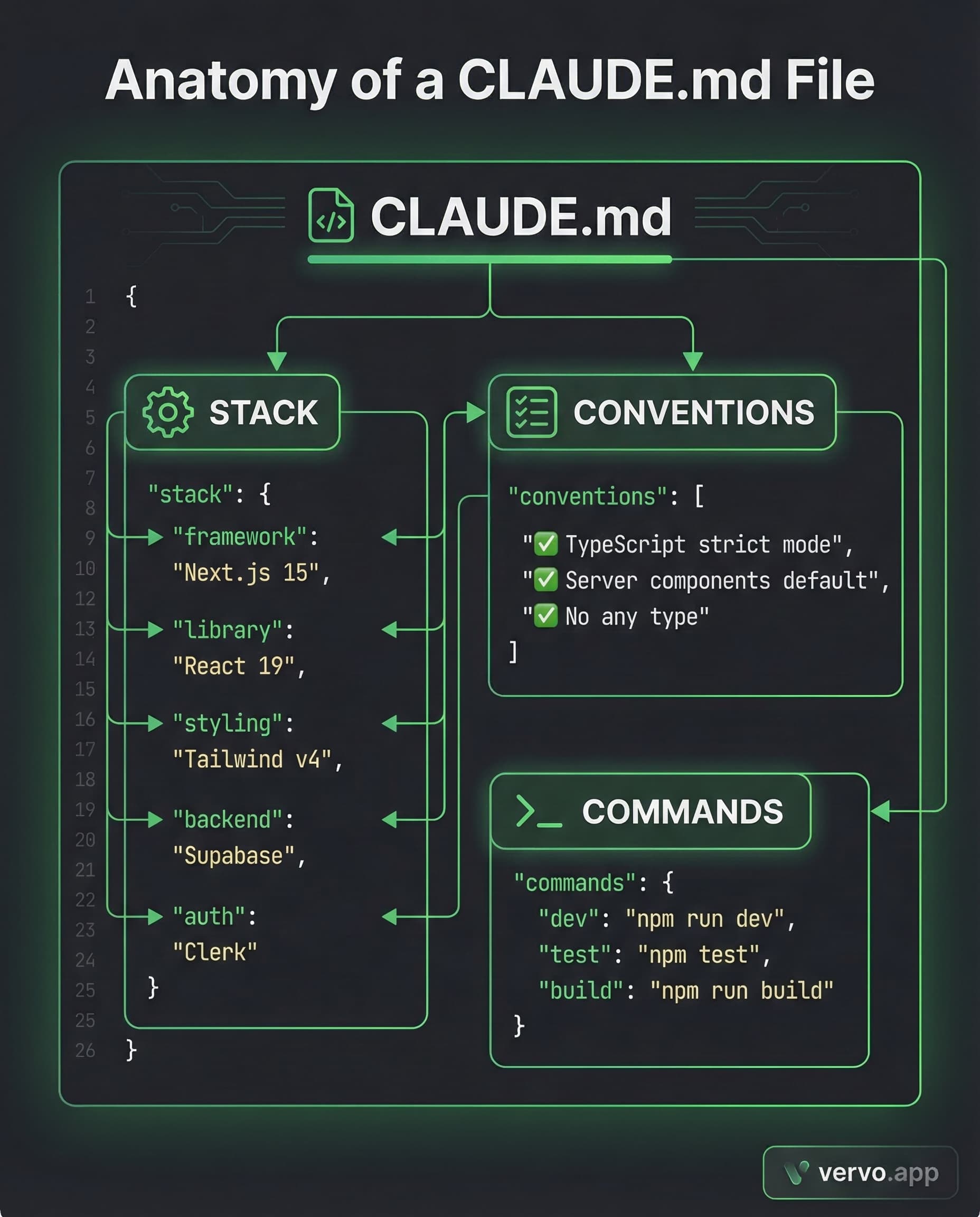
This is the single most impactful thing you can do. A CLAUDE.md file in your project root tells Claude your conventions, constraints, and preferences. Think of it as onboarding documentation for your AI pair programmer.
# CLAUDE.md

## Stack
- Next.js 15, React 19, Tailwind v4
- Database: Supabase
- Auth: Clerk

## Conventions
- Use TypeScript strict mode
- Prefer server components by default
- Never use `any` type
- Test files go in `__tests__/` next to source files

## Commands
- `npm run dev` -- start dev server
- `npm test` -- run tests
- `npm run build` -- production build
Claude loads these rules hierarchically. Root-level rules apply everywhere. Subdirectory CLAUDE.md files apply only when working in that directory. Commit them to version control so your whole team benefits.
How to connect MCP servers
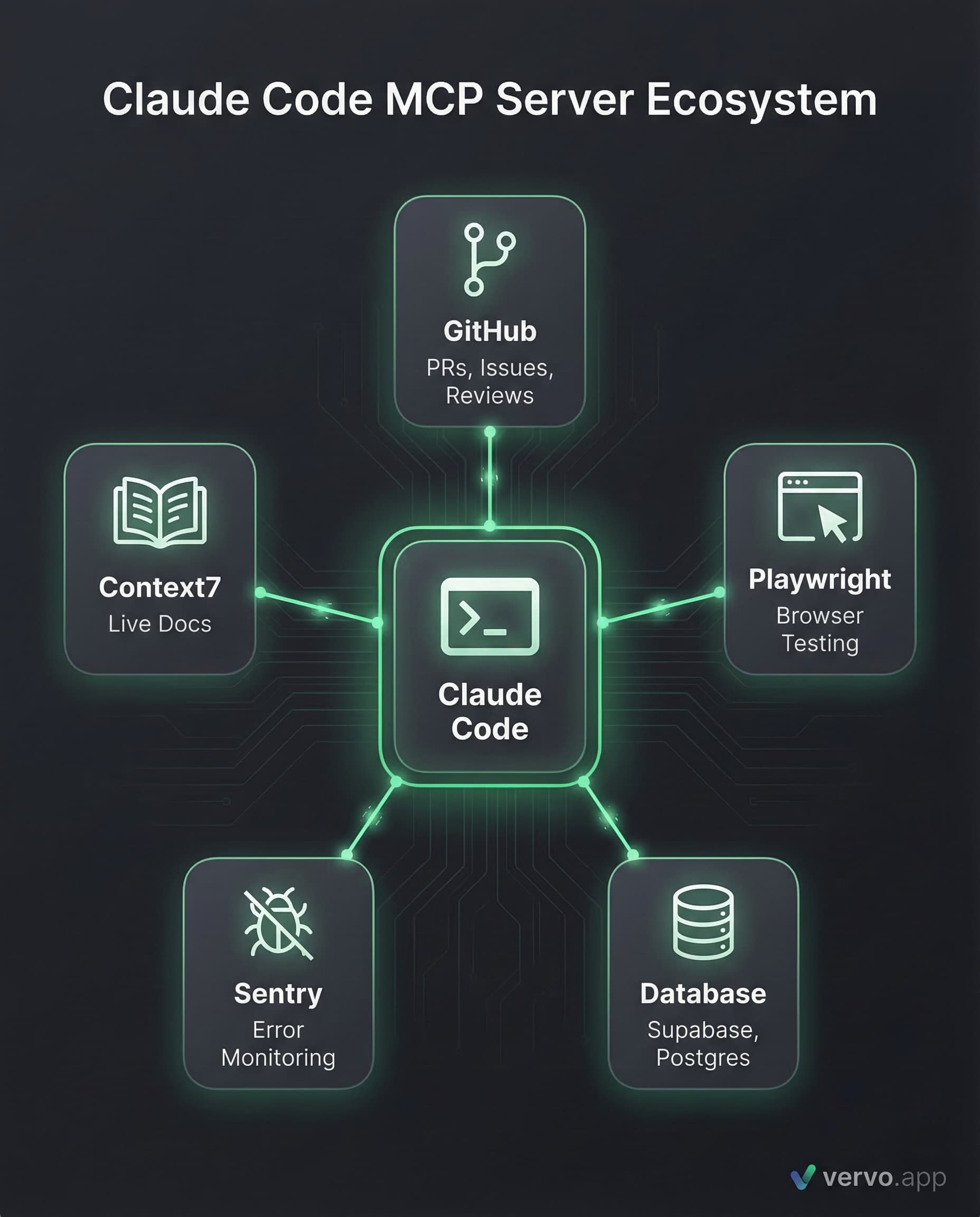
MCP (Model Context Protocol) is what makes Claude Code extensible. MCP servers give Claude access to external tools -- GitHub, databases, browsers, design tools, and more.
Add an MCP server
claude mcp add github --scope user
The three scopes are:
- local (default) -- only you, only this project
- project -- shared with your team via
.mcp.json - user -- available across all your projects
Essential MCP servers for 2026
| Server | What it does |
|---|---|
| GitHub | Create PRs, manage issues, review code |
| Playwright | Browser automation and testing |
| Supabase/Postgres | Direct database queries |
| Sentry | Monitor production errors |
| Context7 | Pull live library docs (not stale training data) |
Manage your servers
claude mcp list          # see all configured servers
claude mcp remove github # remove a server
claude mcp get github    # inspect a server's config
How to actually use it day-to-day
Once set up, here's what using Claude Code actually looks like:
Fix a bug:
> The login form shows a flash of unstyled content on mobile. Fix it.
Add a feature:
> Add a dark mode toggle to the settings page. Use next-themes. Match our existing design tokens in globals.css.
Refactor:
> The user dashboard fetches data in 4 separate queries. Consolidate into one query with joins.
Run tests:
> Run the test suite. If anything fails, fix it.
Claude reads the relevant files, makes changes, and can even run your build/test commands to verify the fix works. It's not just suggesting code -- it's executing a complete workflow.
Troubleshooting common issues
Command not found after install
Your shell hasn't picked up the new PATH entry. Close your terminal completely and open a new one. On Mac, you can also run source ~/.zshrc.
Permission errors with npm
Never use sudo for npm global installs. Instead, configure npm to use a user-writable directory:
mkdir ~/.npm-global
npm config set prefix '~/.npm-global'
# Add to your shell profile:
export PATH=~/.npm-global/bin:$PATH
MCP server won't connect on Windows
On native Windows (not WSL), local MCP servers that use npx need the cmd /c wrapper. Without it, you'll get "Connection closed" errors.
Previous sudo install issues
If you previously ran the installer with sudo and now have permission errors:
sudo chown -R $(whoami) ~/.claude
Then run the installer again without sudo.
Why this matters beyond coding
Here's the thing about AI agents that most setup guides miss: the skills you build configuring Claude Code transfer directly to every other AI tool in your life.
Understanding how to give context, set constraints, and review AI output makes you better at using AI agents for texting, writing, design, and everything else. The same mental model applies: give the AI context, review multiple options, edit to make it yours.
If you're already using AI to help you code, you might as well use it to help you text too. Tools like vervo.app use the same underlying AI vision to read screenshots of conversations and suggest what to say -- same principle, different domain. The screenshot goes in. Three reply options come out. You pick, edit, send.
The future isn't AI replacing you. It's you with AI getting more done in less time -- whether that's shipping code or finally replying to that text you've been staring at for 20 minutes.